300 vs 150 vs 72 DPI: A Real Print Test at 30 cm
Most DPI comparisons online are computer renders. This test uses actual printed sheets: the same test chart was prepared at 300, 150 and 72 DPI, printed on the same paper in the same batch, then photographed from 30 cm.
What was on the test chart
Each sheet contained a text ladder from 5 pt to 20 pt, line pairs from 0.4 pt to 4 pt pitch, a 21-step grayscale wedge, 12 colour patches, a smooth gradient, a fine circular detail pattern and a photo-like scene. The full test file is linked at the bottom of this page.
Small text: actual result
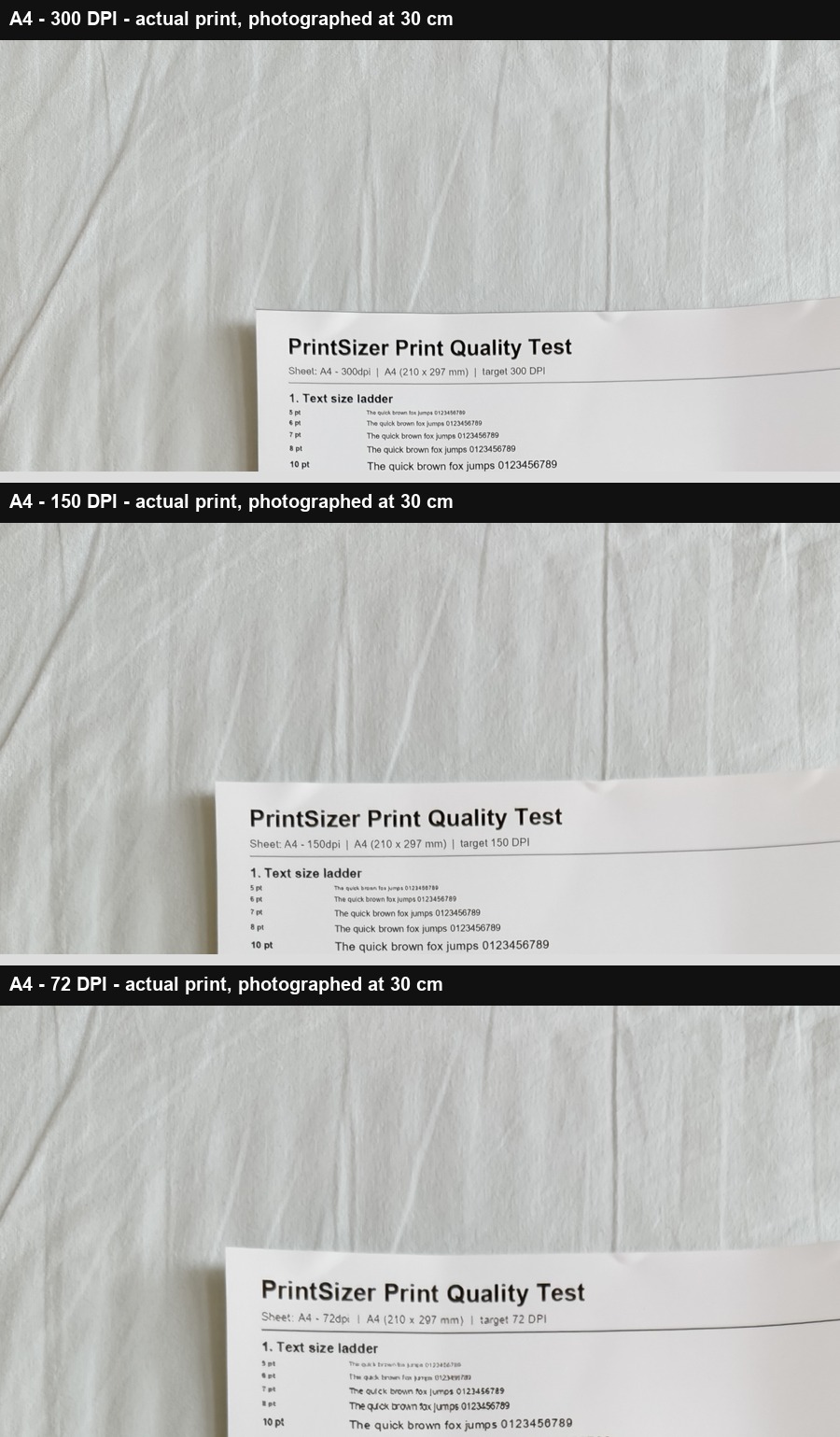
| Target DPI | 5-6 pt text | 10 pt and larger | Overall close-up impression |
|---|---|---|---|
| 300 DPI | Sharp; individual strokes remain clear | Very clear | Closest to a professional print |
| 150 DPI | Slight softening; some curves show steps | Still comfortable to read | Usable, but visibly less crisp |
| 72 DPI | Blurred; strokes begin to merge | Readable but soft | Clearly unsuitable for small print text |
Fine lines: actual result
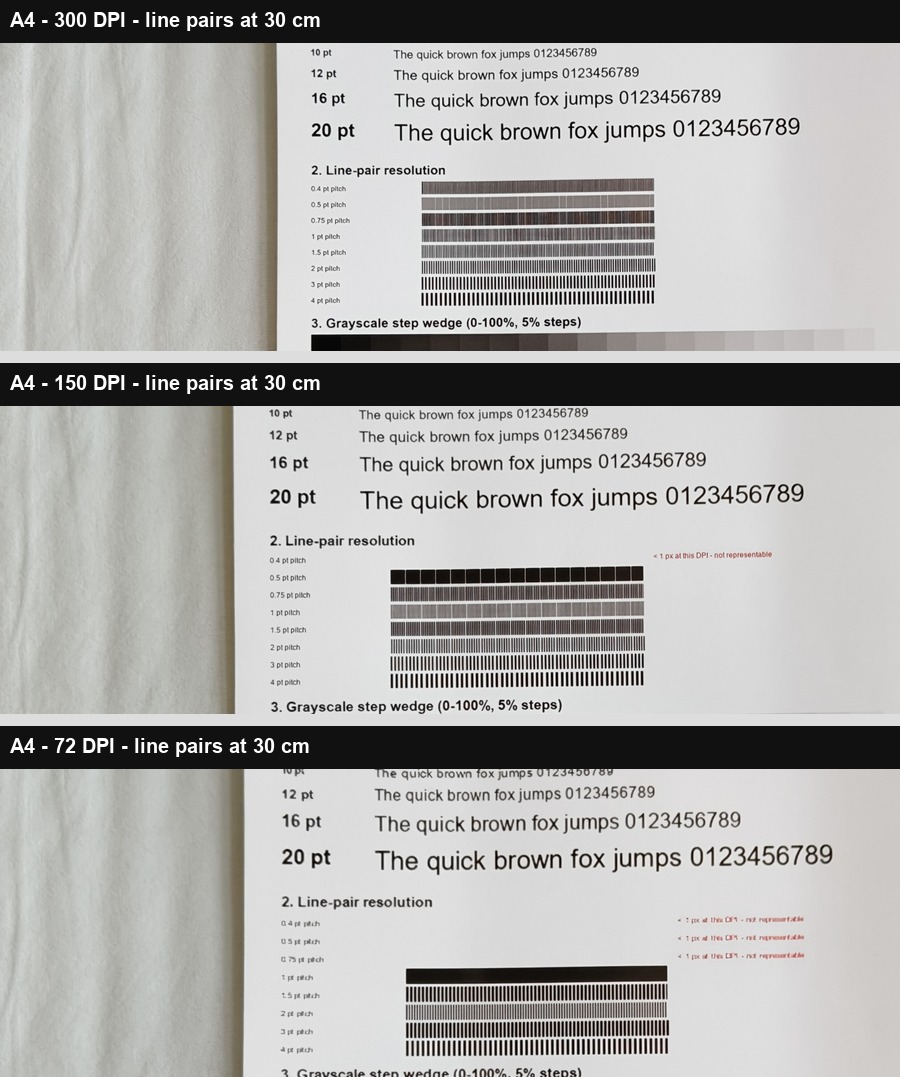
At 300 DPI, the finer line pairs remain separated. At 150 DPI, patterns below about 1.5 pt pitch begin to merge at this close distance. At 72 DPI, only the coarser 3-4 pt patterns remain clearly separated. This is expected: a line pair needs enough pixels per cycle to survive reproduction.
What this means in practice
- Use 300 DPI for business cards, brochures, small photo prints and anything with 5-8 pt text that will be read in the hand.
- Use 150 DPI for posters, large canvas and graphics viewed from farther away - but this test did not measure those distances. At 30 cm, 150 DPI is visibly softer.
- Avoid 72 DPI for print. It is a screen convention; small text and fine lines lose structure on paper.
Limitations
- Only one printer, one paper and one batch were tested.
- Paper GSM was not listed, so paper thickness cannot be compared.
- Photos capture lighting and paper texture; they are not flatbed scans.
- Only 30 cm viewing distance was photographed.
Test files and related tools
This test used the free PrintSizer test chart. You can check your own print size with the print size calculator, compare actual PPI with the print PPI calculator, or read the full test methodology.
Related: A3 at 150 DPI close-up test · 30 x 40 cm at 200 DPI test · Print resolution guide
Frequently asked questions
Is 150 DPI good enough for a poster?
It can be, especially when viewed from a distance, but this test only evaluated 30 cm close-up. For a poster, ask the printer for the required DPI and judge it at the intended viewing distance.
Why does 72 DPI look so bad on paper?
72 DPI provides very few pixels per inch. At A4 size it contains only 595 x 842 pixels, so a printer has to enlarge the image substantially, which softens text and merges fine lines.
Are these photos edited?
The photos were cropped, resized for the web and assembled into comparison panels. No sharpening or retouching was applied to the printed areas.