A3 at 150 DPI: What It Looks Like at 30 cm
150 DPI is a common recommendation for large-format posters. This test asks a stricter question: if you inspect an A3 print at 30 cm, how much detail actually survives?
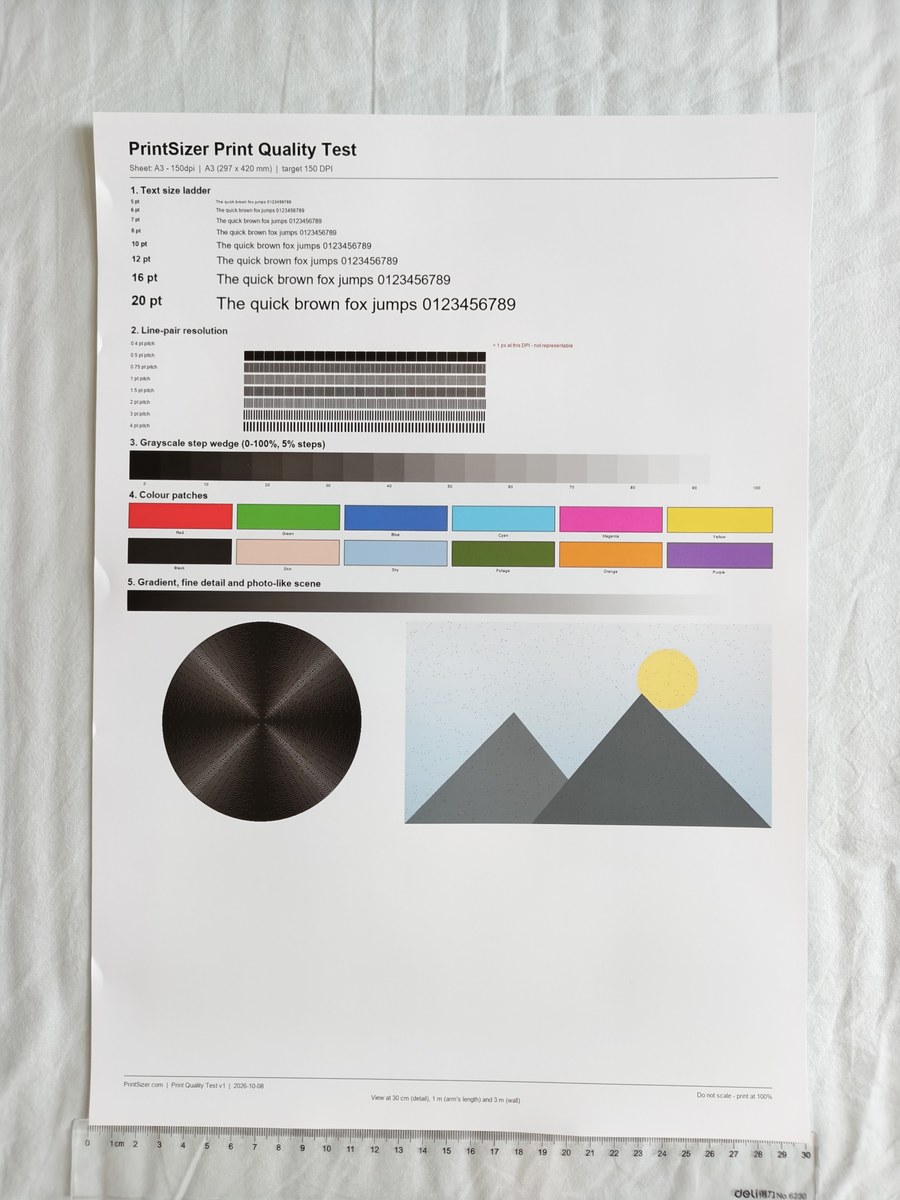
What is readable at 30 cm
The large headings and 10 pt-and-up text remain readable. At 5-6 pt, letters lose some edge definition and curves show visible steps. The grayscale wedge and colour patches remain easy to distinguish, but the finest line pairs merge into grey bands.
The chart also makes the difference between "readable" and "sharp" obvious: a heading can still be read while its edges look slightly fuzzy. That is why a print can pass a basic legibility check and still feel softer than a 300 DPI sheet when the two are compared side by side.
| Element | At 30 cm | Practical interpretation |
|---|---|---|
| 20-12 pt text | Clear | Fine for poster headlines and short body text |
| 8-10 pt text | Readable, slightly soft | Acceptable for secondary text |
| 5-6 pt text | Visibly soft | Avoid small type at 150 DPI |
| Fine line pairs | Below roughly 1.5 pt pitch, they merge | Use vectors for thin rules and logos |
What to do if you need an A3 poster
- Use vector text and vector logos wherever possible - they stay sharp regardless of raster DPI.
- Keep small text at 10 pt or larger if the file is only 150 DPI.
- Use 200-300 DPI when the poster will be inspected closely or contains small type.
- Ask the print service for their pixel requirement; pixels are less ambiguous than a DPI label.
Why A3 is a useful test size
A3 (297 x 420 mm) has exactly twice the area of A4 and is a common small-poster format. At 150 DPI it requires 1754 x 2480 pixels. The print in this test contained that many source pixels; the softness at 30 cm therefore comes from the limited pixel density rather than from a small file being stretched by the printer. That distinction matters when you are deciding whether to upscale a file or simply choose a lower DPI for a larger product.
Related tools
Poster DPI calculator · How big can I print? · Large-format resolution guide · 300 vs 150 vs 72 DPI test